
How to configure Unstructured data on Skypoint AI Studio
User can setup unstructured data on Skypoint AI studio by following the below steps: A. Initiate setting up data connections on Skypoint AI Studio- Sign in to Skypoint AI Studio.
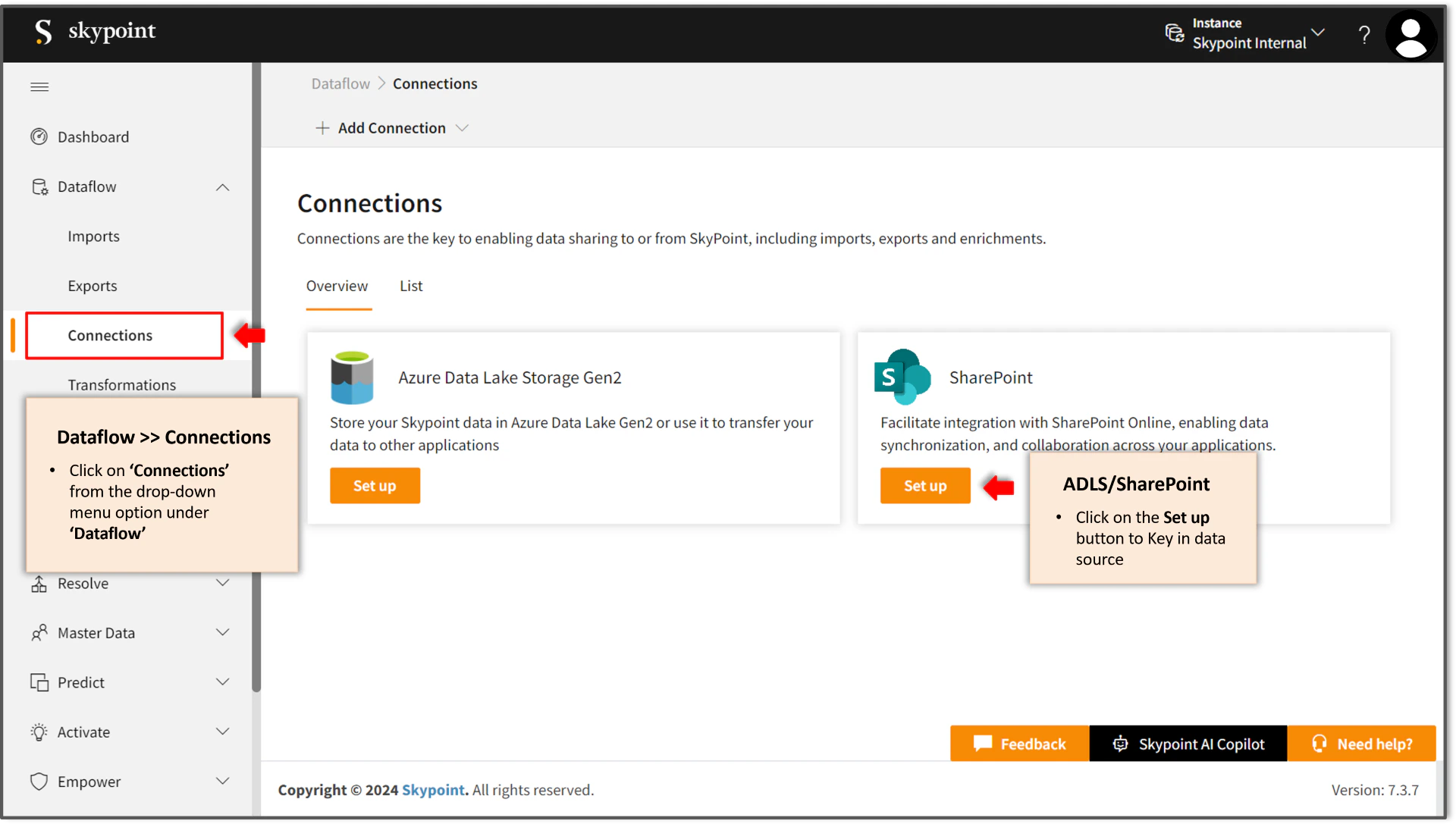
- Navigate to Dataflow and choose Connections.
- Click on Set up for either ADLS or SharePoint.
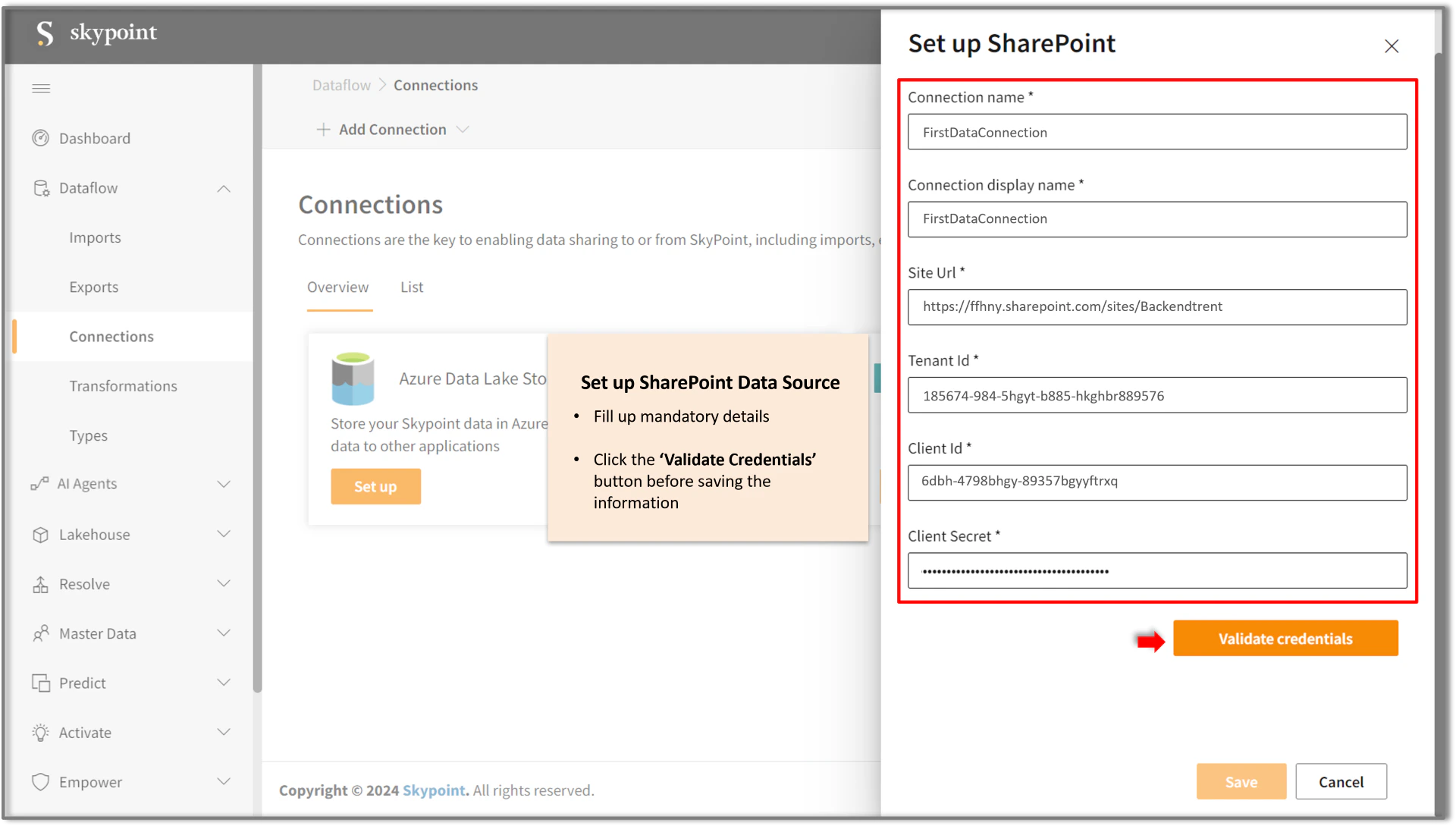
- Fill in the required connection details and validate credentials.
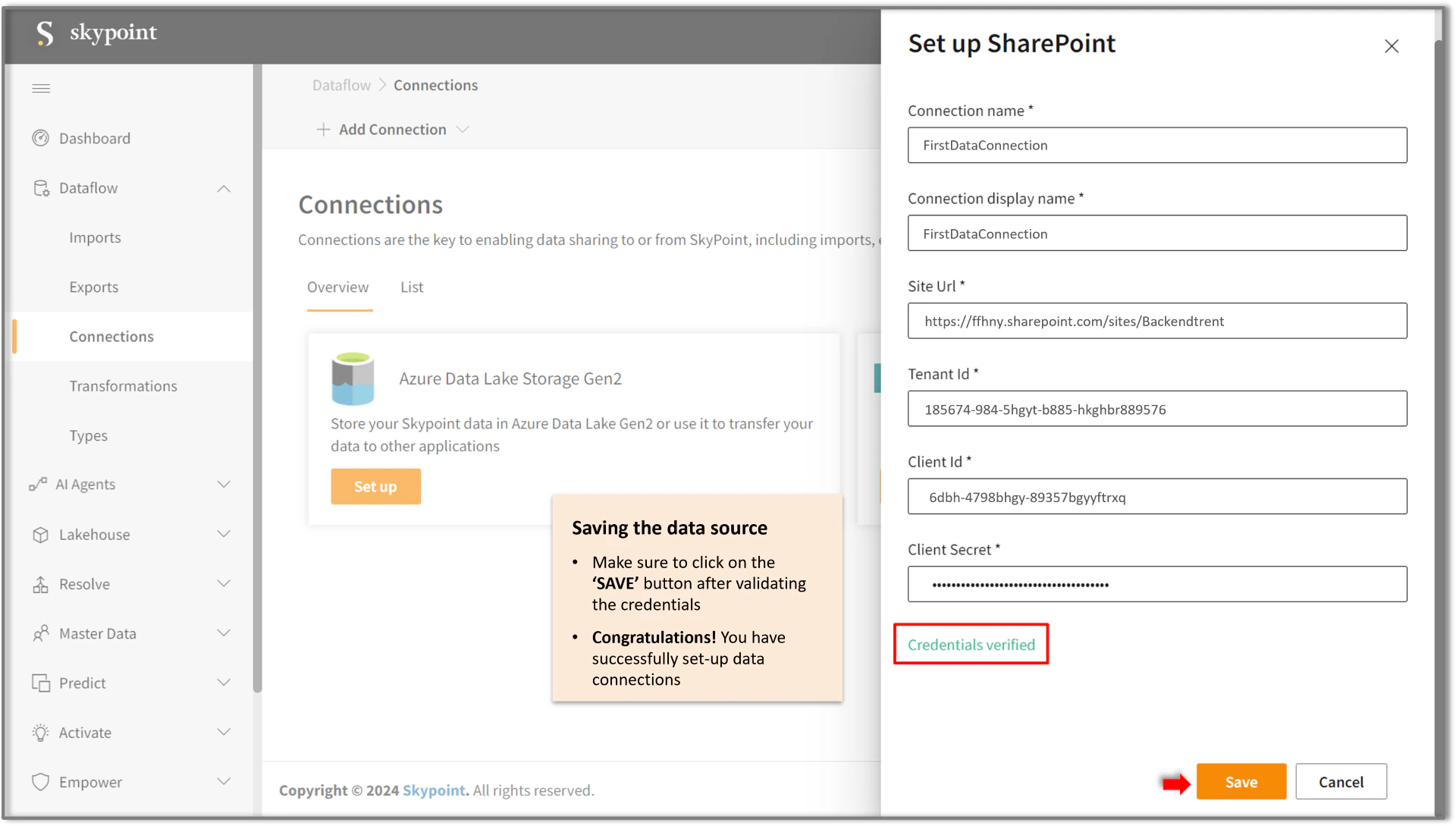
- Click SAVE button to confirm the changes.
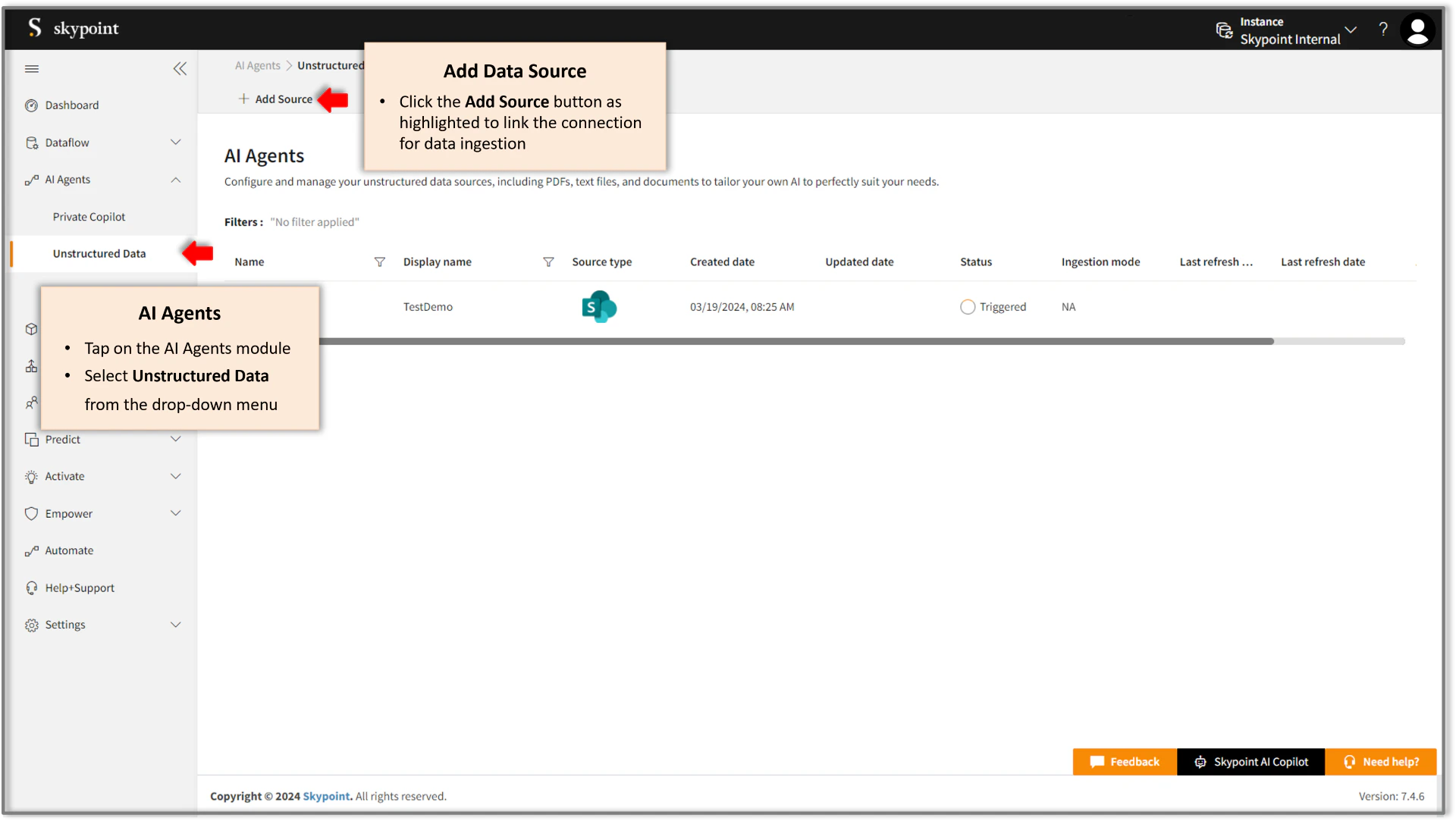
- Go to Dataflow and choose unstructured data.
- Click on Add Source.
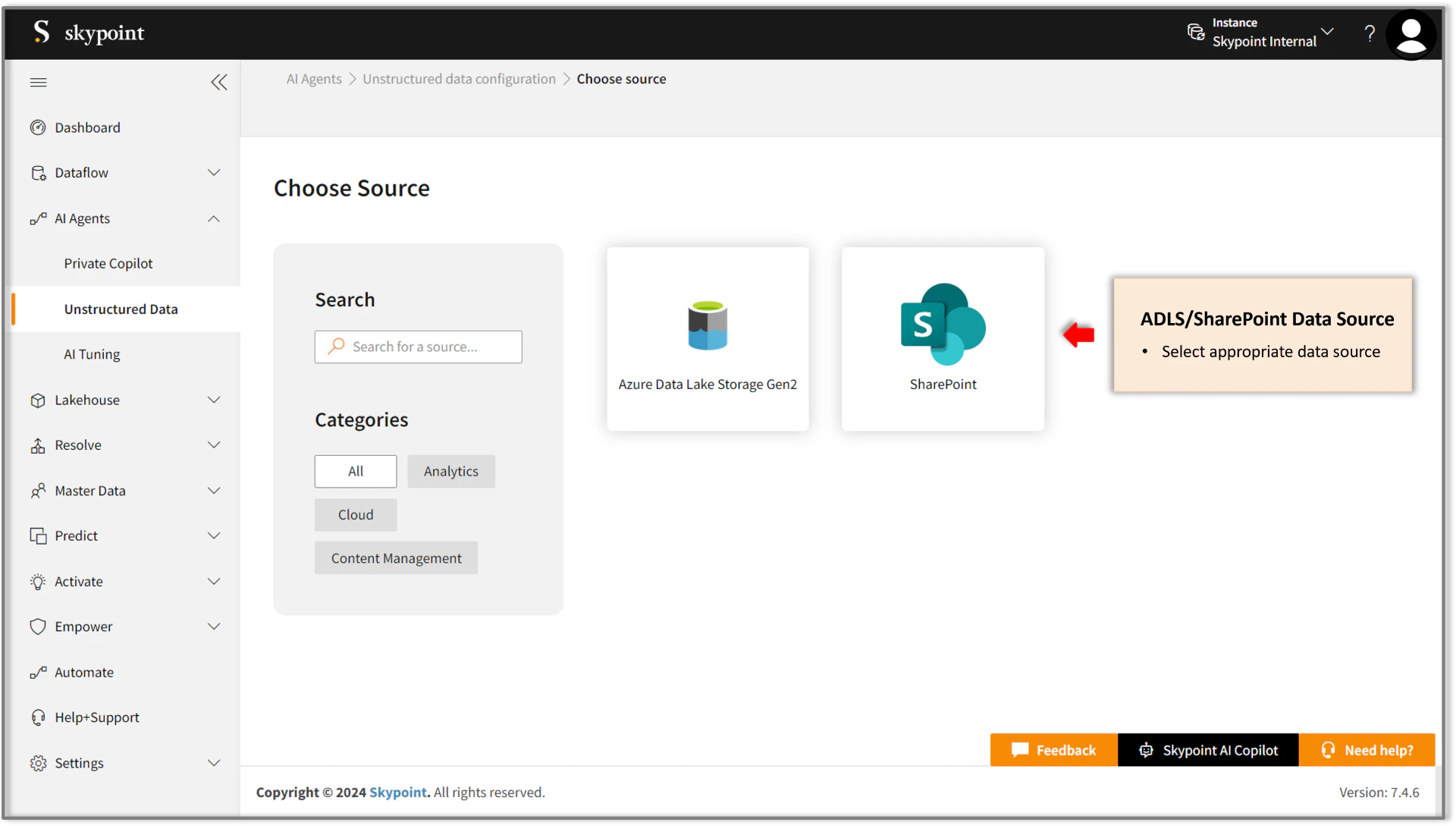
- Choose the type of data source.
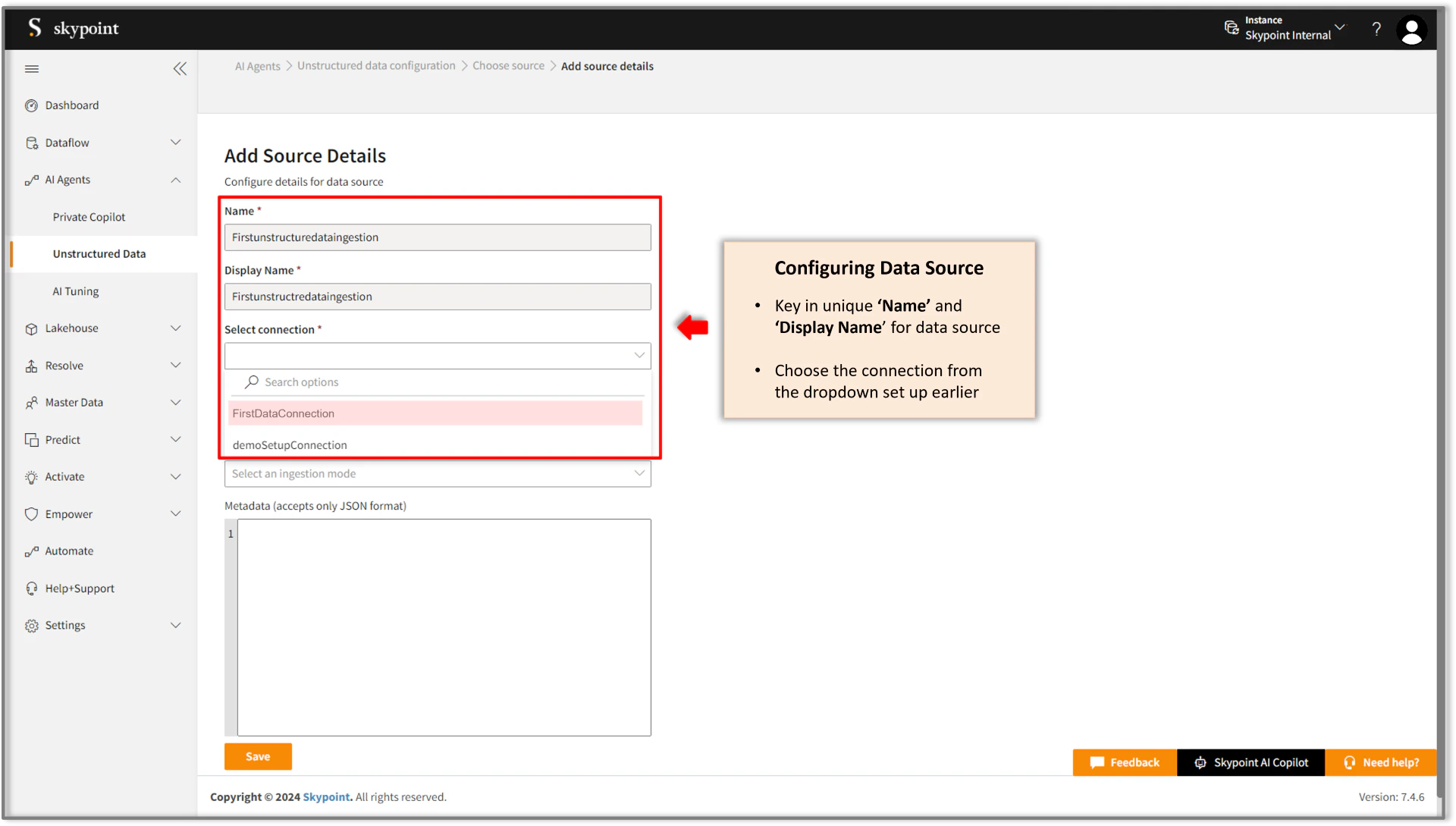
- Add name and display name.
- Select connection from the drop-down menu.
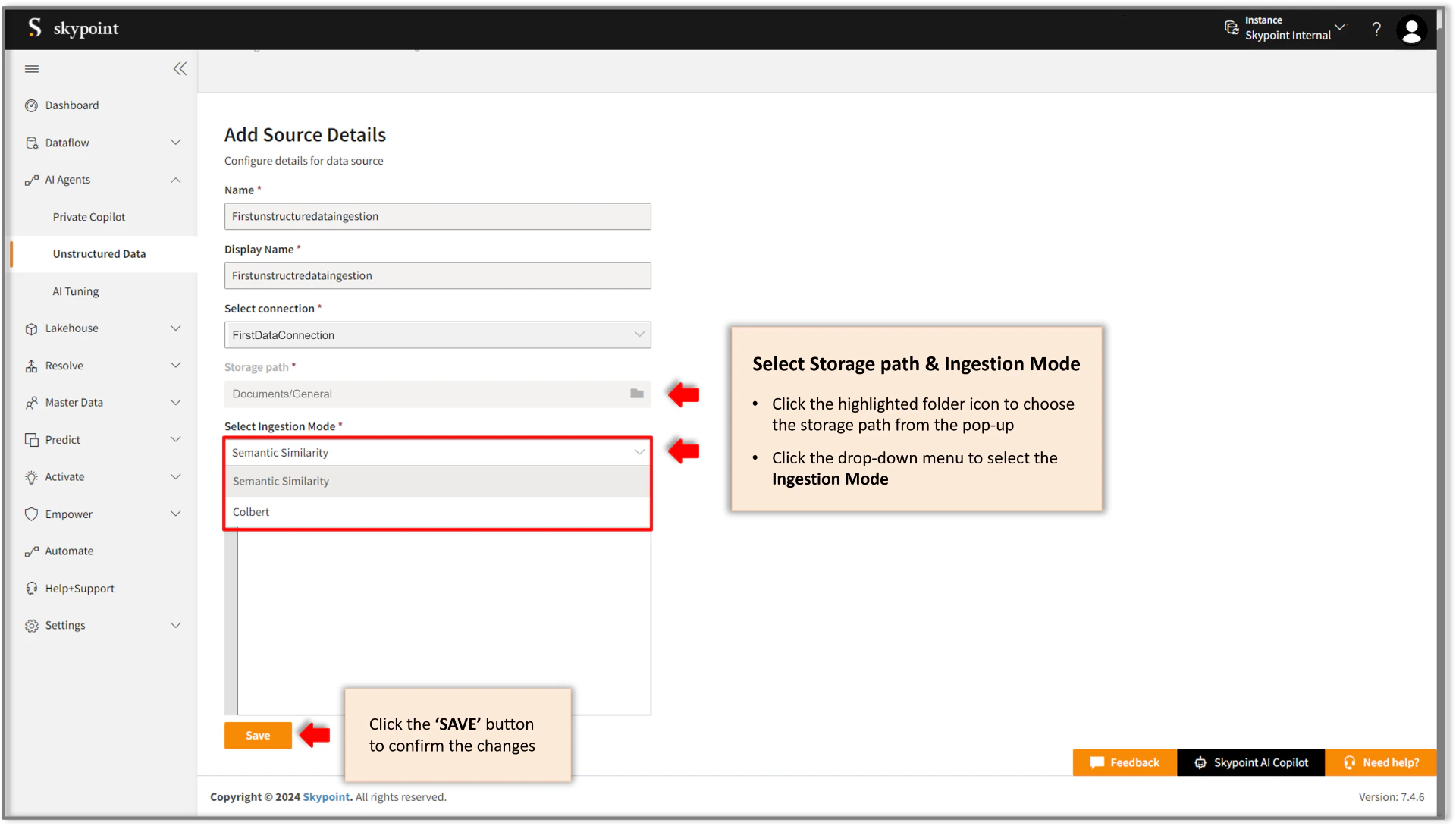
- Select the storage path by clicking on the folder icon.
- Click the SAVE button.
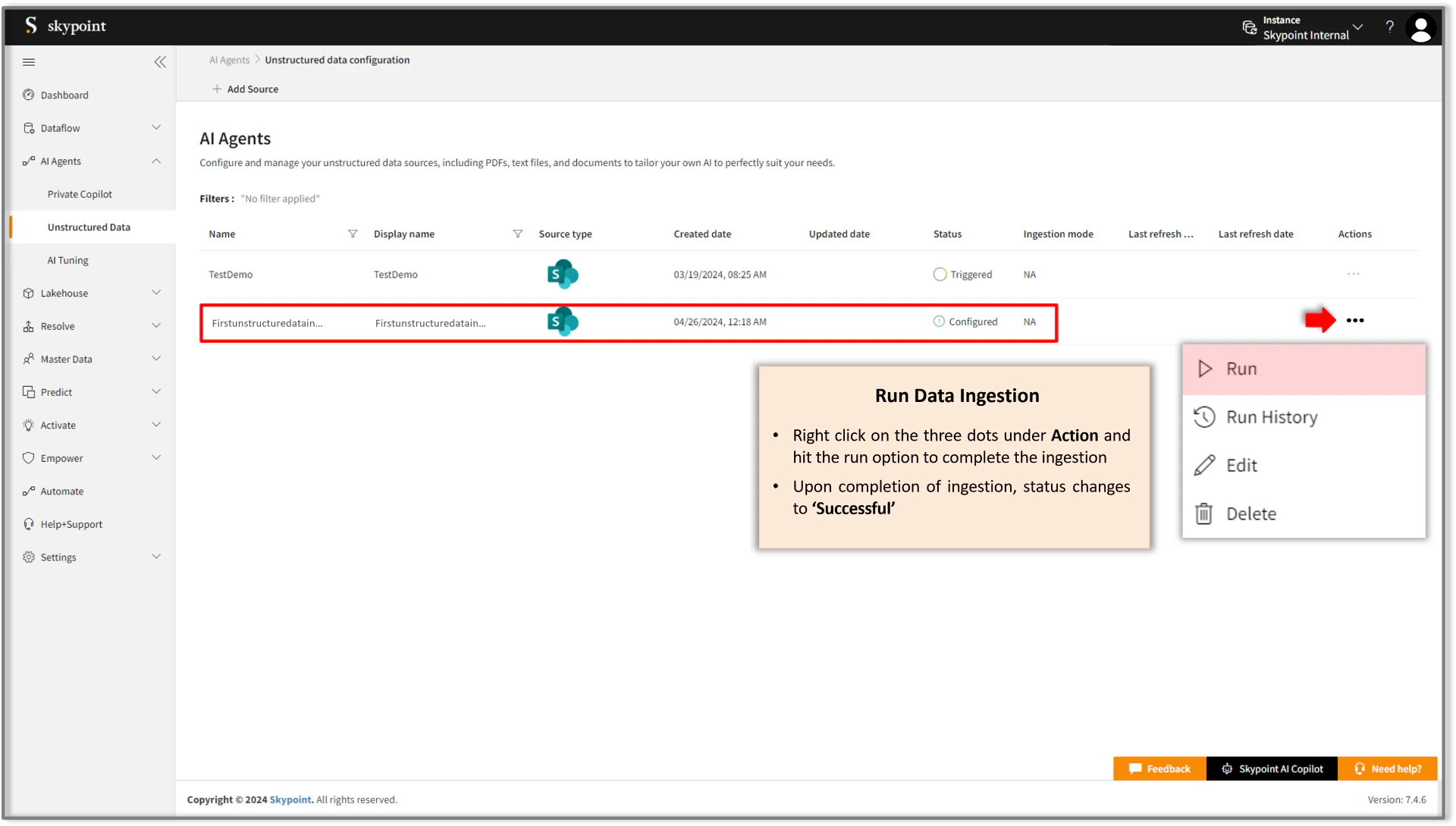
- View saved data source under Dataflow as highlighted in the figure below.
- Right click on the three dots against the saved data source to complete data ingestion.