

Generating a report
Overview
You can generate and maintain records of your customer requests and responses. These reports could be useful to demonstrate how personal data is being managed and handled by your Privacy center application. Skypoint AI-powered Report section allows you to generate reports that your organization has received. These reports can be generated based on their type. There are 3 types of reports available for usage:- DSR (Data Subject Request)
- Consent
- Privacy Center
Generate a report
- Go to Empower > Reports.
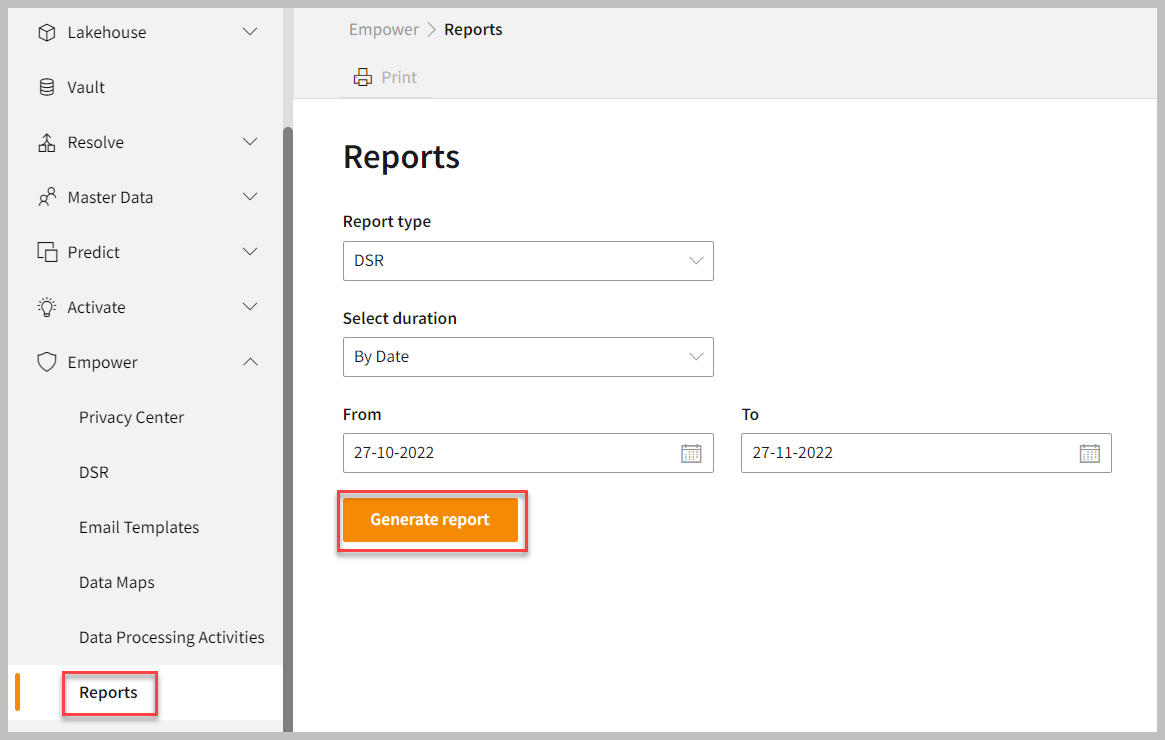
- Select the Report type as per your need.
- Select duration type such as “By Date” or “By Month”.
- Select the year and the month for which the report needs to be generated.
- Click on Generate Report.
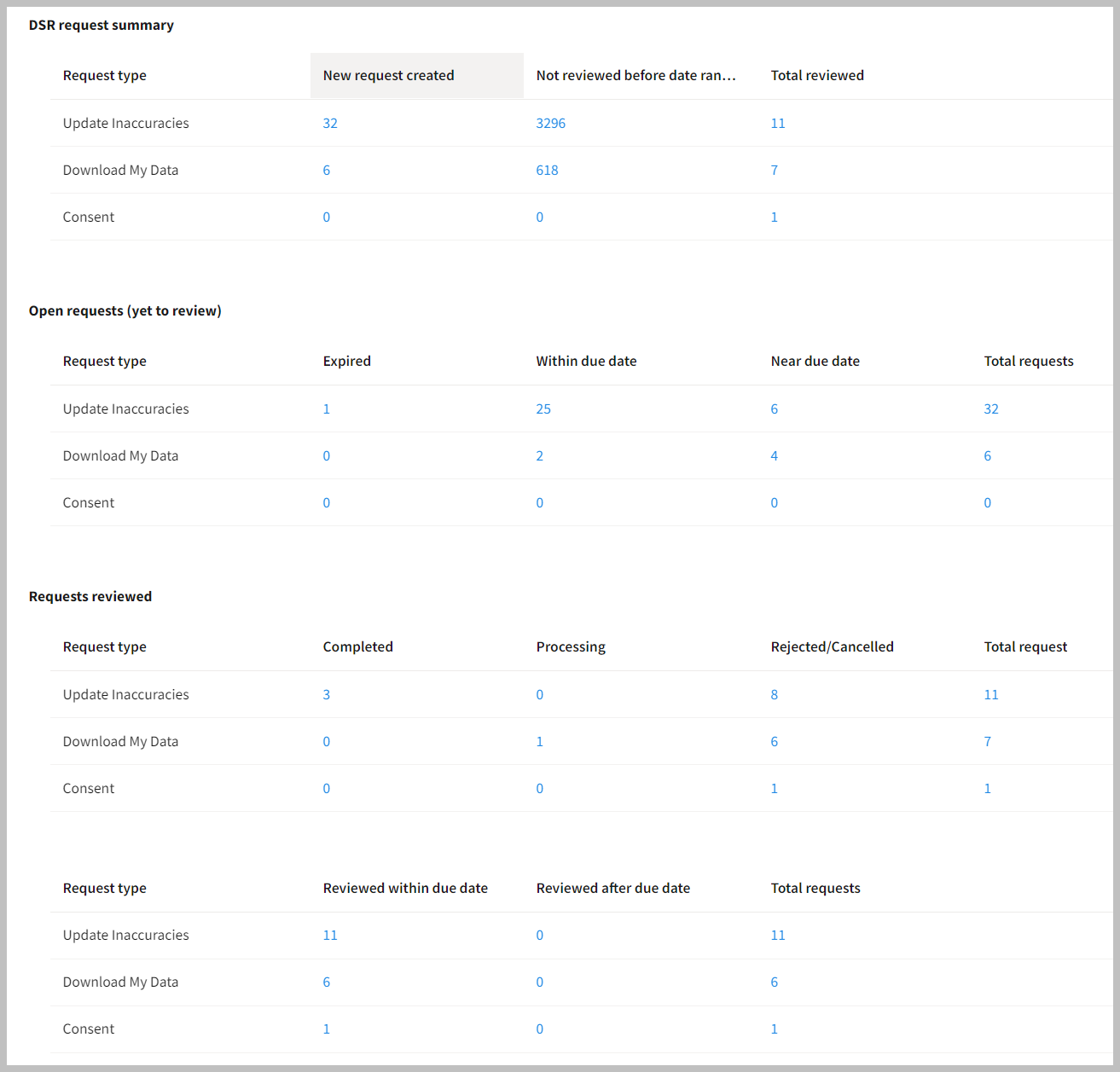
If there are no activities under the selected timeframe, then it will display “No data to show from the selected Date range”. Also, the Print button will be disabled.